How to Report Wrong or Outdated Content on BanglaTech
Spot a wrong answer or outdated material? Flag it in one tap. Here's how students report content issues and earn a contribution badge when admins confirm the fix.
Why Reports Matter
Study materials and question banks drift over time. A prime minister resigns, a celebrity passes away, a policy changes — and suddenly the fact that was correct last year is wrong this year. No teacher can re-audit every note and every MCQ on a schedule.
That's why BanglaTech lets every enrolled student report wrong, misleading, or outdated content directly from inside the material they're reading. Admins see the report in their group inbox, fix the content, and the student who reported it earns a 🛡️ মান সংরক্ষক (Quality Guardian) contribution badge.
Only enrolled members of a group can flag its content. Group admins and owners don't see the flag button on their own group's material — they use the admin inbox instead.
Step 1 — Open the Material
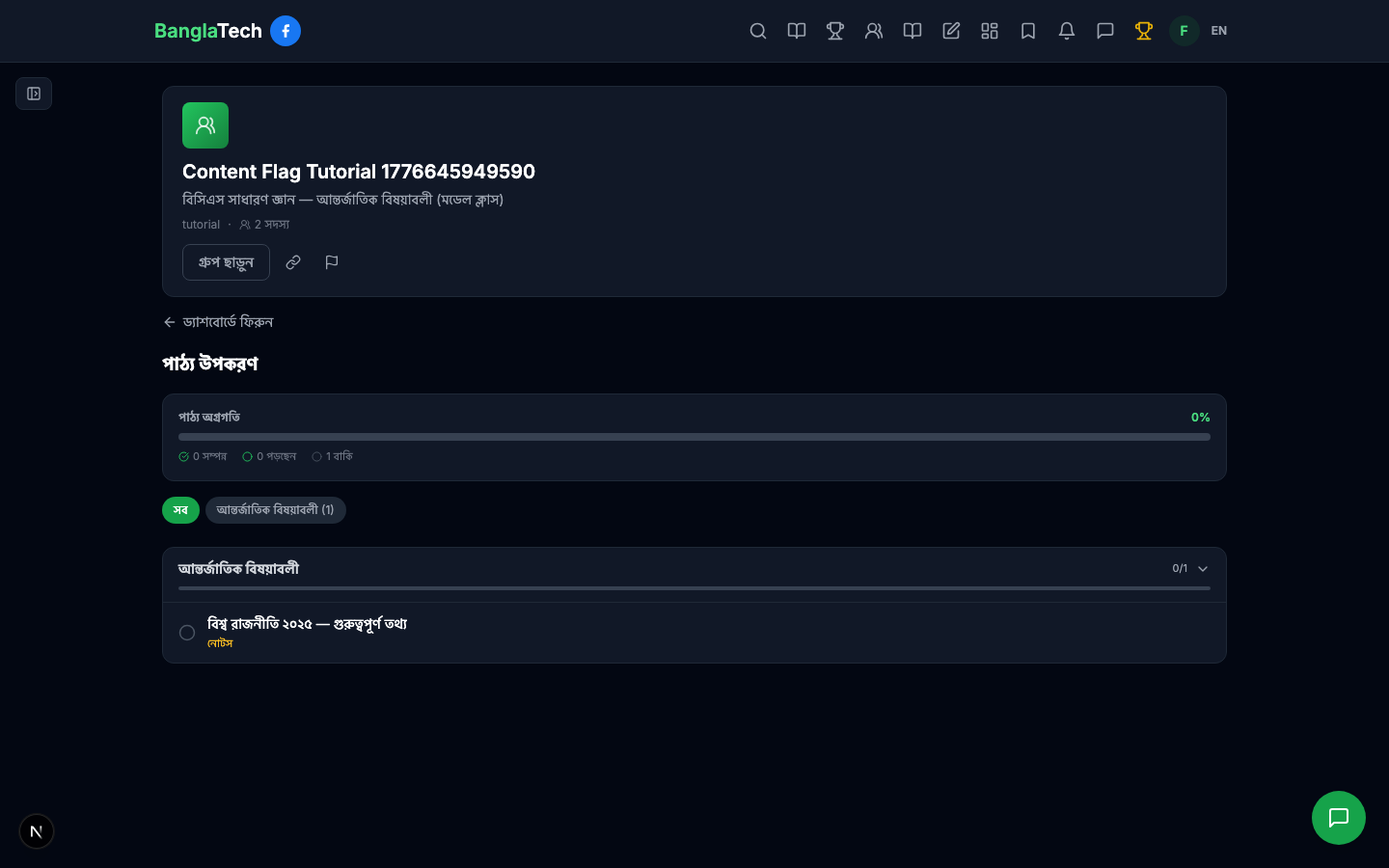
Go into any group you've joined and open the পাঠ্য উপকরণ (Materials) tab. Pick the material you want to report — in this example, a notes page with outdated international affairs data.
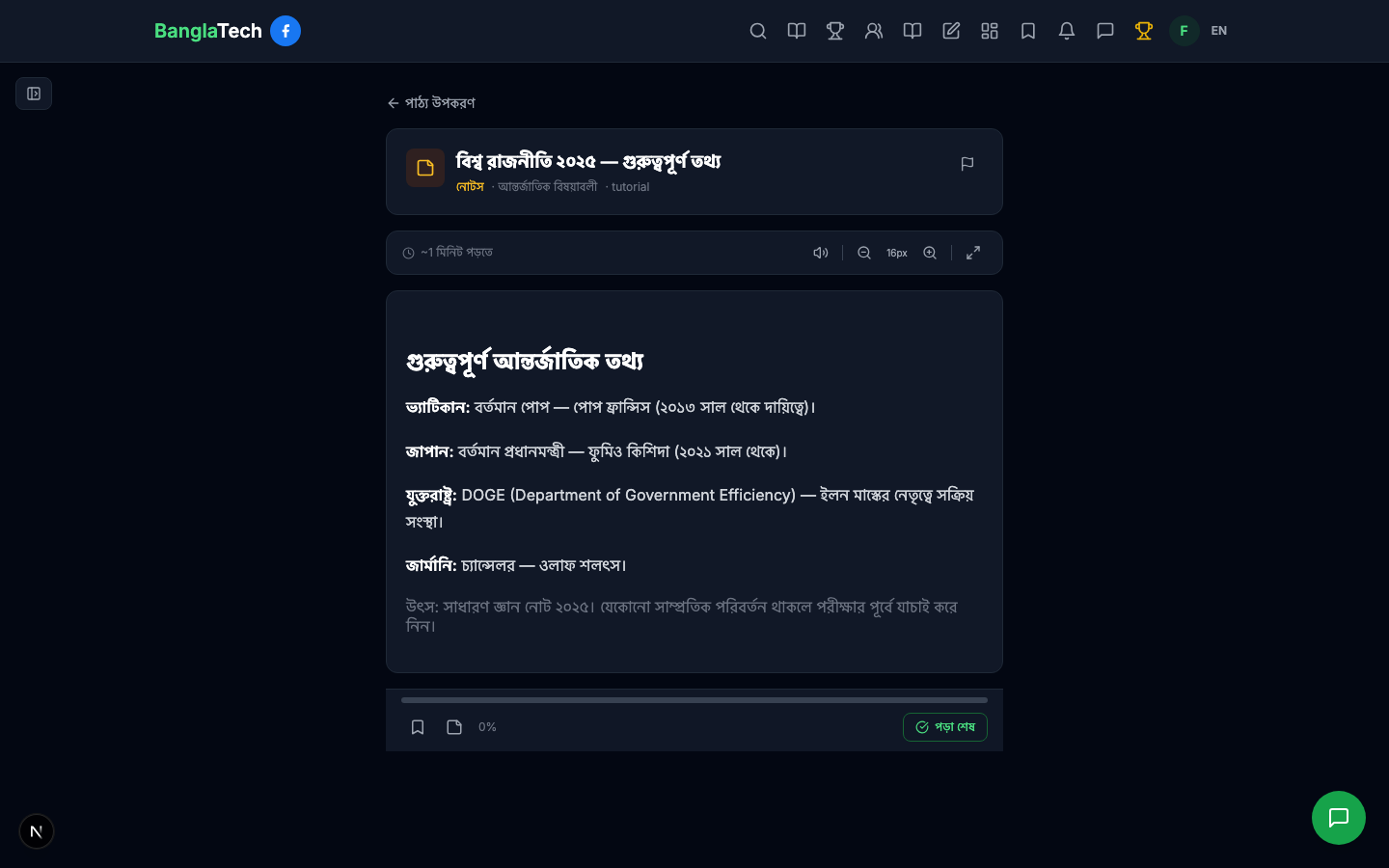
Click the material to open the full reading view. Everything you see here — body text, images, attachments, embedded questions — is reportable.
Step 2 — Find the Flag Button
Look at the top-right corner of the material header. There's a small flag icon right next to the title. Hover over it and it turns red — that's your report button.
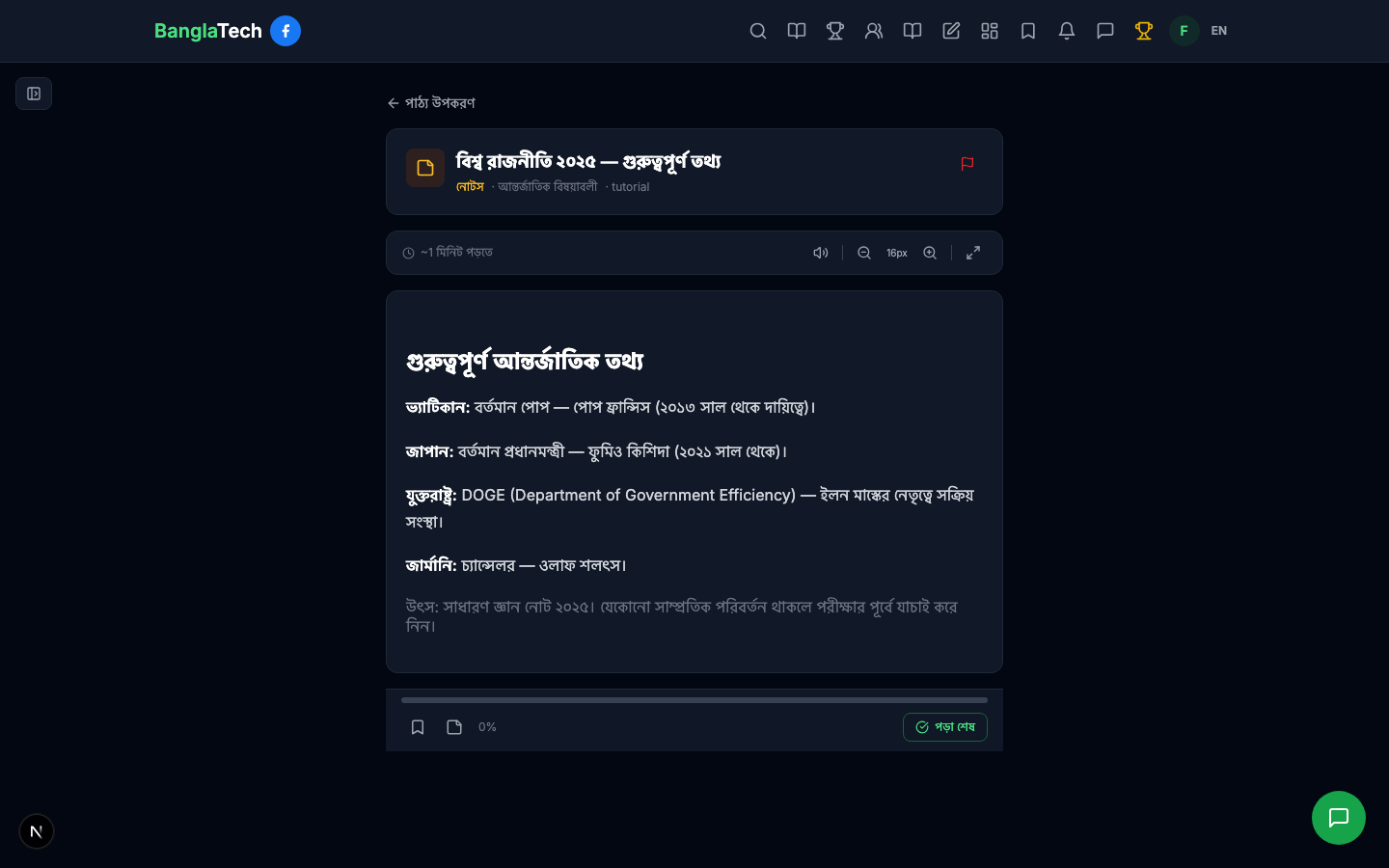
That means you're viewing the material as an admin or owner of the group — the button is hidden because you can already edit the content directly. Only student members see the flag button.
Step 3 — Open the Report Modal
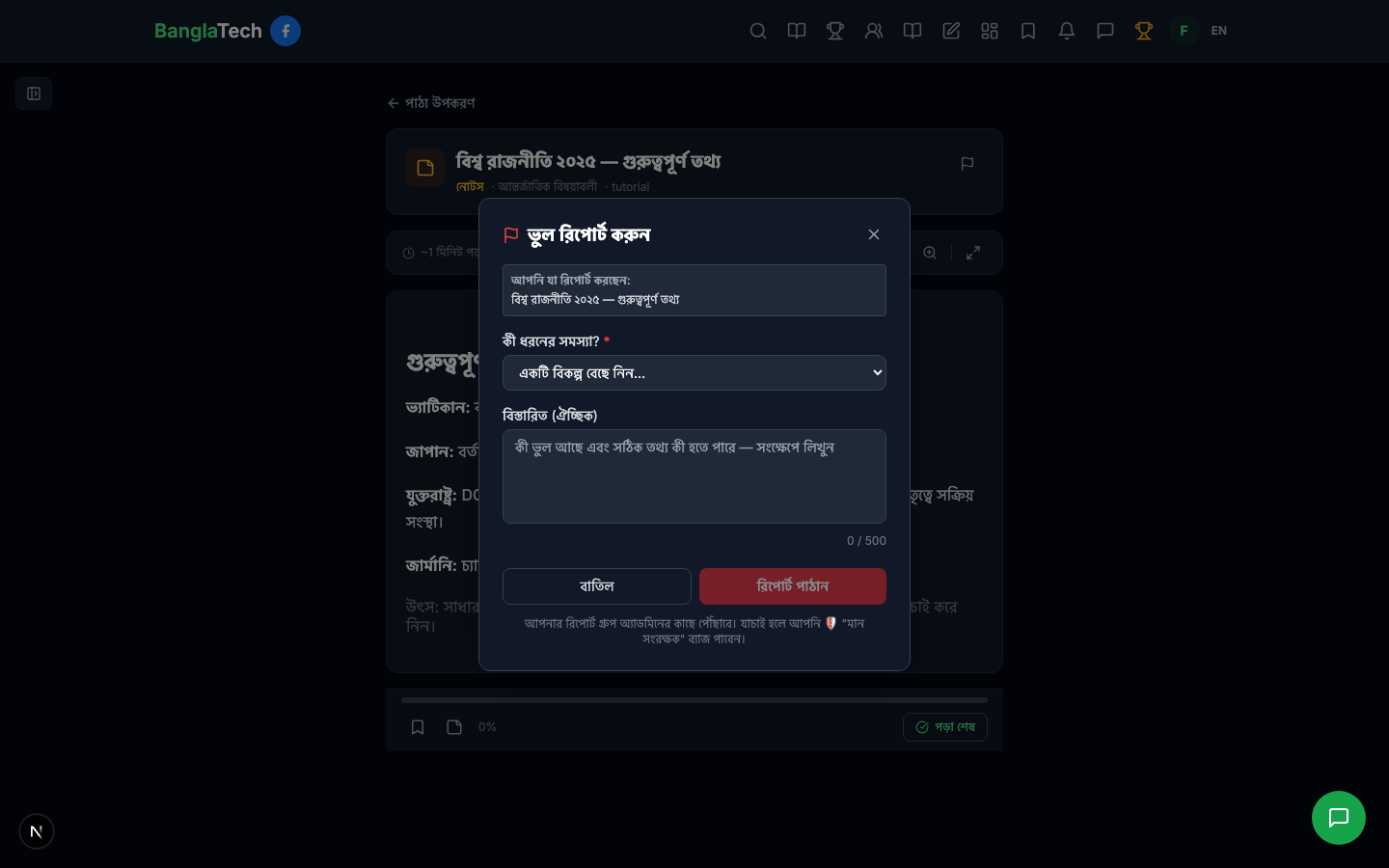
Click the flag icon. The ভুল রিপোর্ট করুন (Report an Error) dialog opens with the material title pre-filled so there's no ambiguity about what you're reporting.
Step 4 — Pick the Problem Category
From the কী ধরনের সমস্যা? dropdown, pick the category that best describes the issue:
- উত্তর ভুল — the stated answer is wrong
- ব্যাখ্যা ভুল — the explanation contradicts the correct answer
- বানান/টাইপো — spelling or typo
- পুরোনো / আপডেট প্রয়োজন — information is outdated (e.g. an old PM name, discontinued policy, deceased public figure)
- অন্যান্য — anything else worth flagging
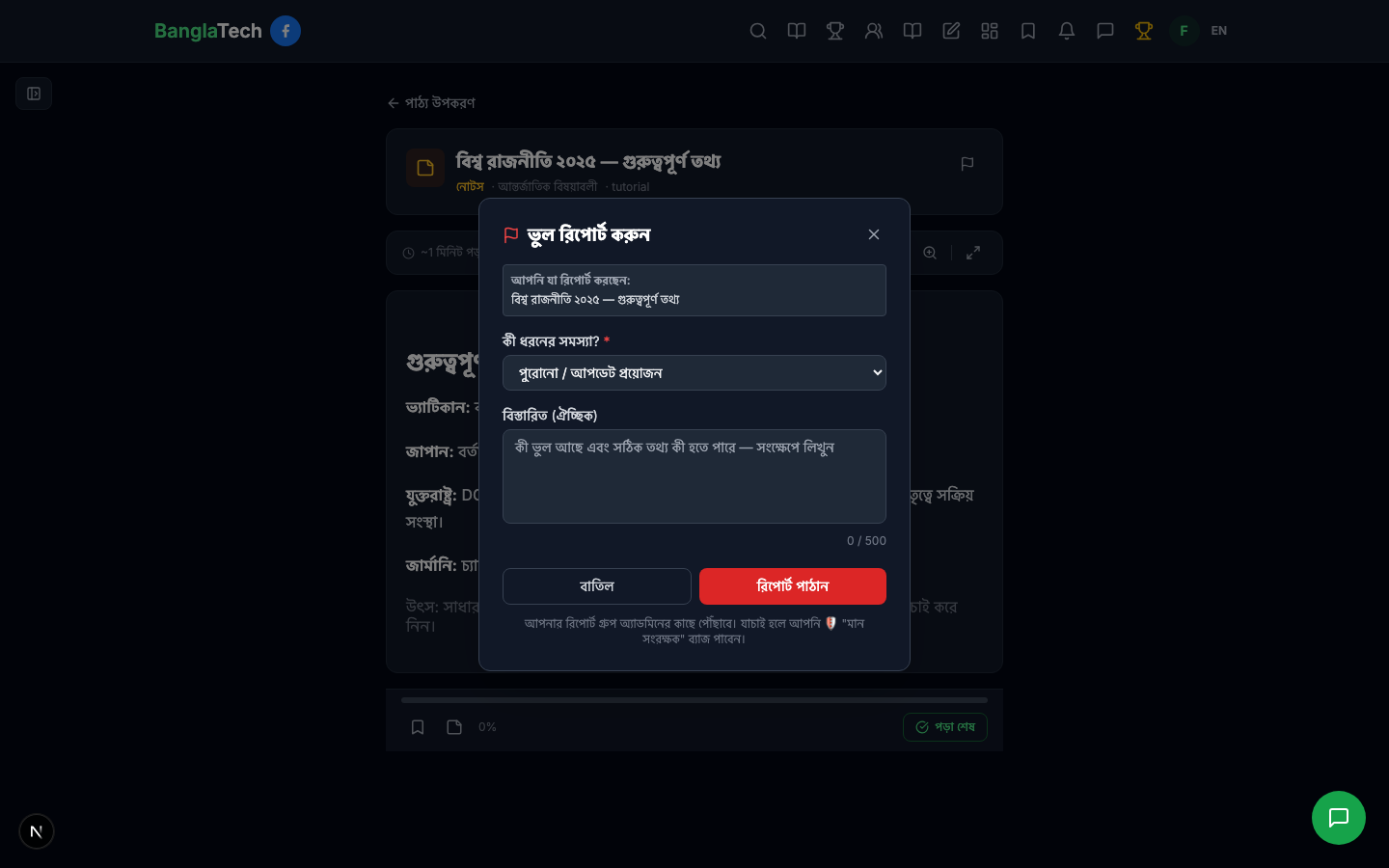
Step 5 — Add the Correct Information (Optional but Highly Recommended)
In the বিস্তারিত (Details) field, write a short note explaining what's wrong and what the correct answer should be. This saves the admin time and makes your report much more likely to be accepted.
Good report notes look like this:
- "পোপ ফ্রান্সিস ২০২৫ সালের এপ্রিলে মারা গেছেন। বর্তমান পোপ লিও ১৪।"
- "অপশন (গ) সঠিক, (ক) নয় — সূত্র: NCTB পাঠ্যবই অধ্যায় ৭।"
- "জাপানের প্রধানমন্ত্রী এখন ইশিবা শিগেরু, কিশিদা নয়।"
You have up to 500 characters — plenty for a clear correction.
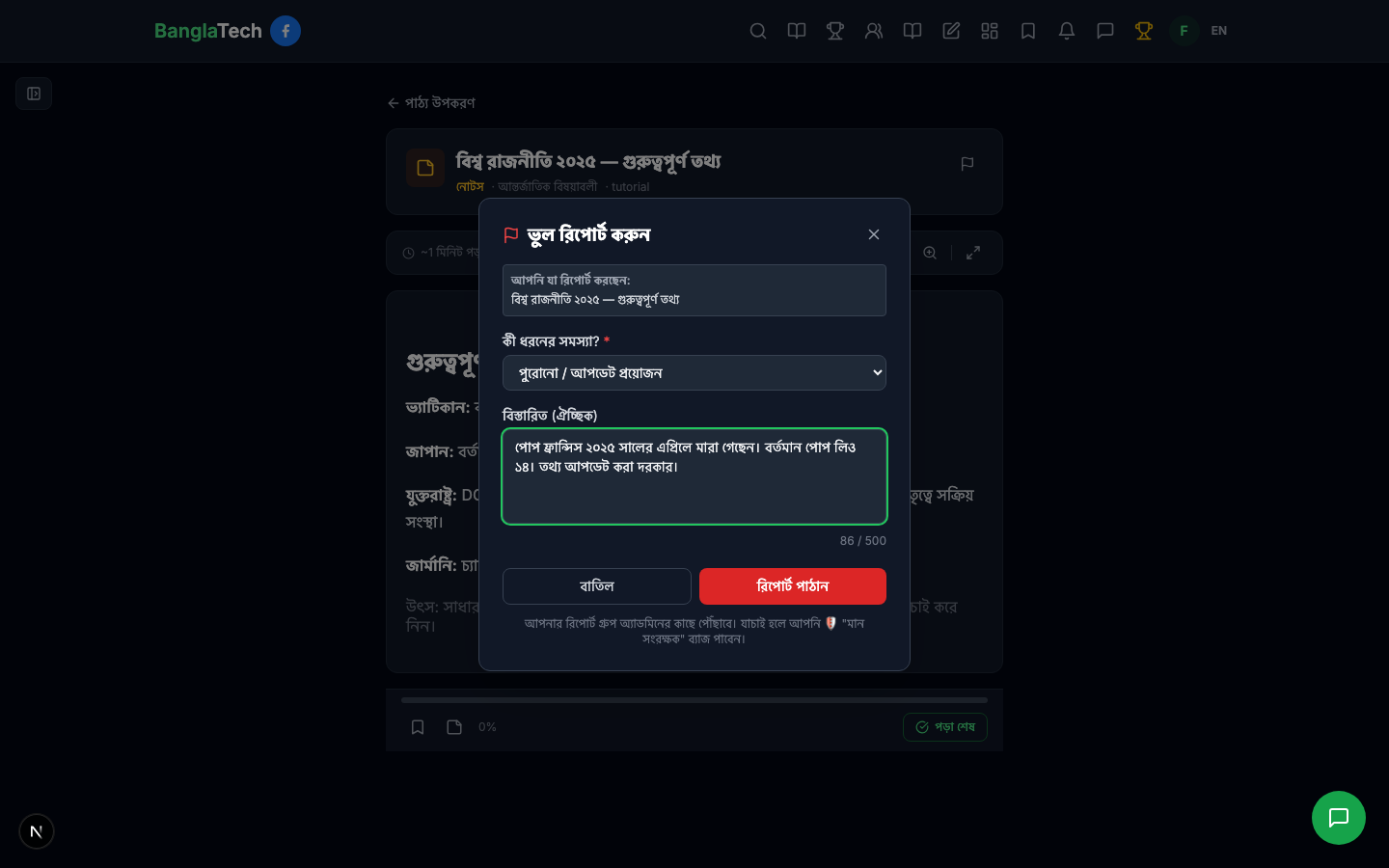
Step 6 — Submit
Click the red রিপোর্ট পাঠান (Send Report) button. You'll see a confirmation toast — "রিপোর্ট পাঠানো হয়েছে — ধন্যবাদ!" — and the flag icon on the material header turns solid red to show you've reported it.
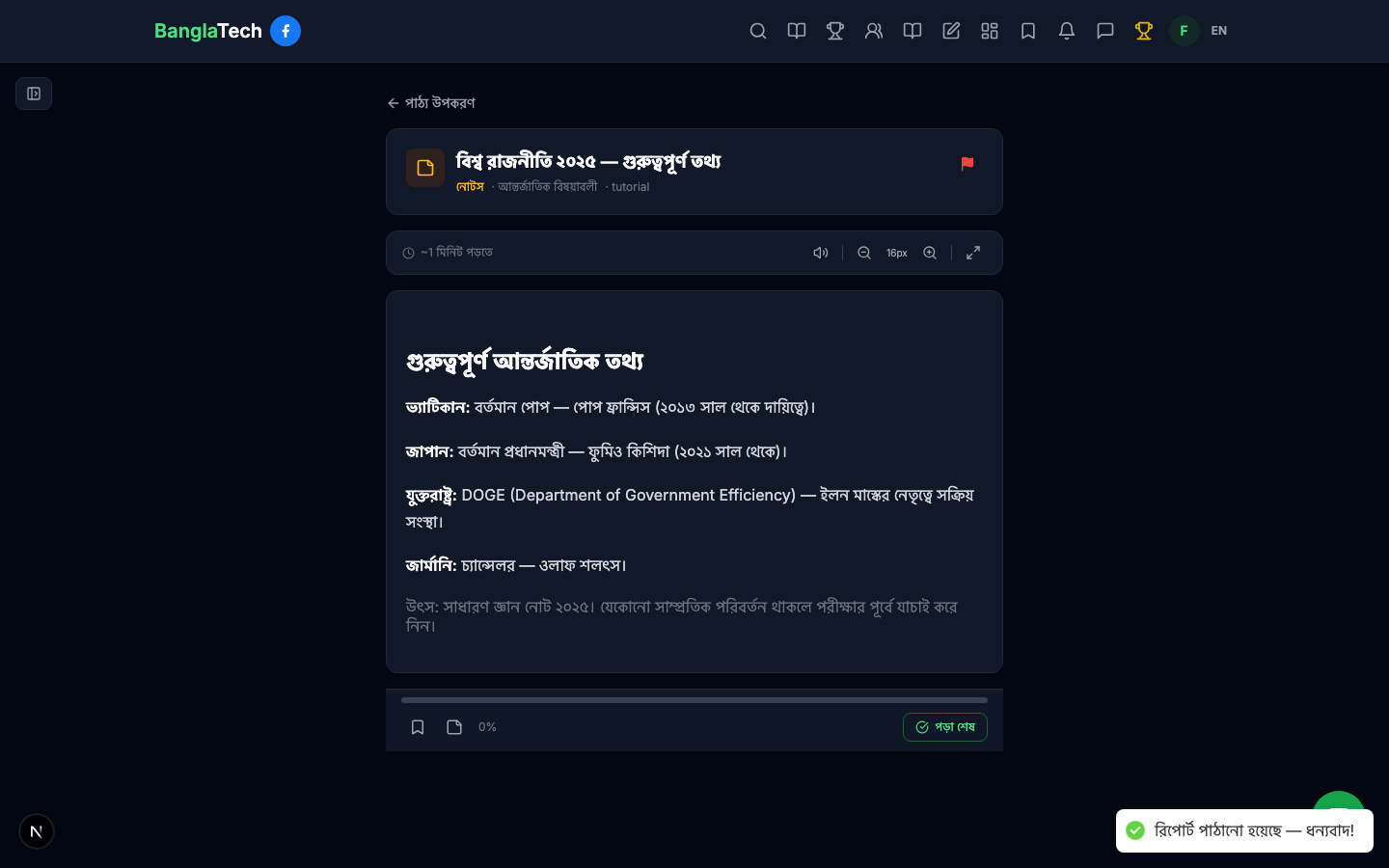
Step 7 — Check Your Report's Status
At any time after submitting, click the same flag icon on the material again. Instead of a new form, you'll see your submitted report with its current status:
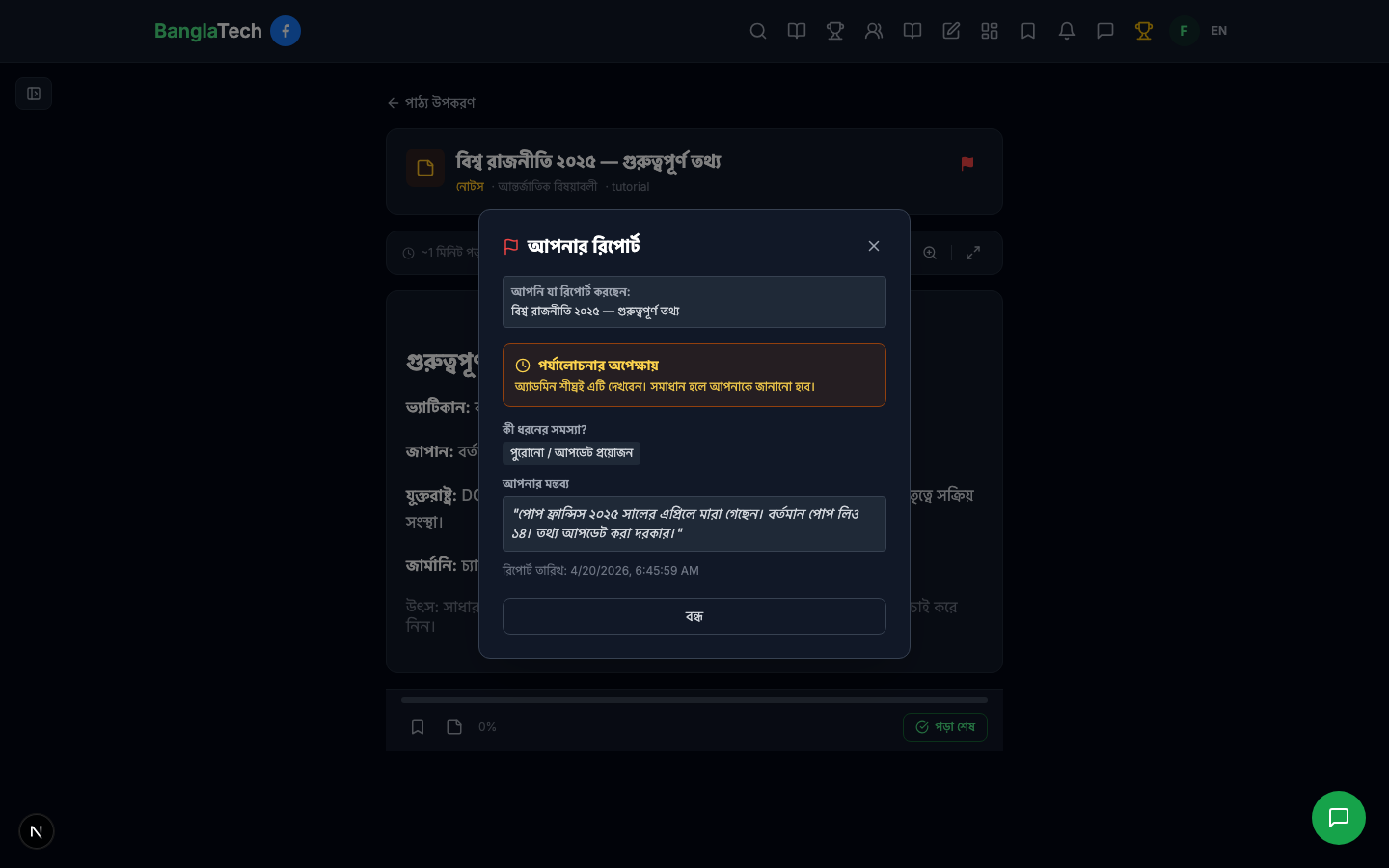
Statuses you might see:
- পর্যালোচনার অপেক্ষায় (Awaiting review) — admin hasn't opened it yet
- পর্যালোচনাধীন (Under review) — admin is actively looking at it
- সমাধান হয়েছে (Resolved) — content was corrected. You earned the contribution badge 🎉
- বাতিল (Dismissed) — admin reviewed and decided no change was needed. Usually an admin reply is attached explaining why.
Flagging Quiz Questions
The same flag button appears on the quiz transcript page after you submit a quiz. Every question in your result has a small flag icon next to it — tap it if you believe the question has a wrong answer, wrong explanation, typo, or is outdated. The modal and flow are identical to the material flag above.
Admins get an urgent "HOT" badge in their inbox and a push notification — so widespread content issues get fixed fast, not buried.
Abuse Protection
A few rules keep the flag system useful, not noisy:
- You can only flag each piece of content once. If your report is dismissed or resolved, the button becomes নতুন ভুল রিপোর্ট করুন (Report a new issue) so you can file a follow-up if something else is wrong.
- There's a daily reporting limit per student to prevent spam.
- Admins can block individual users from reporting if they abuse the system.
- Your report is not anonymous — the admin sees your name so they can follow up in group chat if needed.
Summary
- ✅ Find the flag icon on any material header or quiz transcript question
- ✅ Pick a category and add a short correction note
- ✅ Submit and check status anytime via the same icon
- ✅ Earn the মান সংরক্ষক contribution badge when your report is confirmed
- ✅ Help thousands of other students learn from correct, up-to-date content
The best study platform isn't the one with the most content — it's the one where students and teachers keep it accurate together. Thanks for being part of that.