How to Take Attendance on BanglaTech
Mark daily attendance for your batch, track present/absent records, and view per-student attendance reports.
Overview
BanglaTech has a built-in attendance system for classroom batches. Teachers can take daily attendance with a single click per student, add notes for each session, and view per-student reports showing attendance percentage over time. Students see their own record — total classes, days present, days absent, and overall percentage.
You need a group with student members. If you haven't created a group and added students yet, see the Paper-Based Exams tutorial — it covers group creation. This tutorial assumes you already have a group with 4+ students: রহিম, করিম, ফাতিমা, and সালমা.
Part 1 — Admin: Open the Attendance Tab
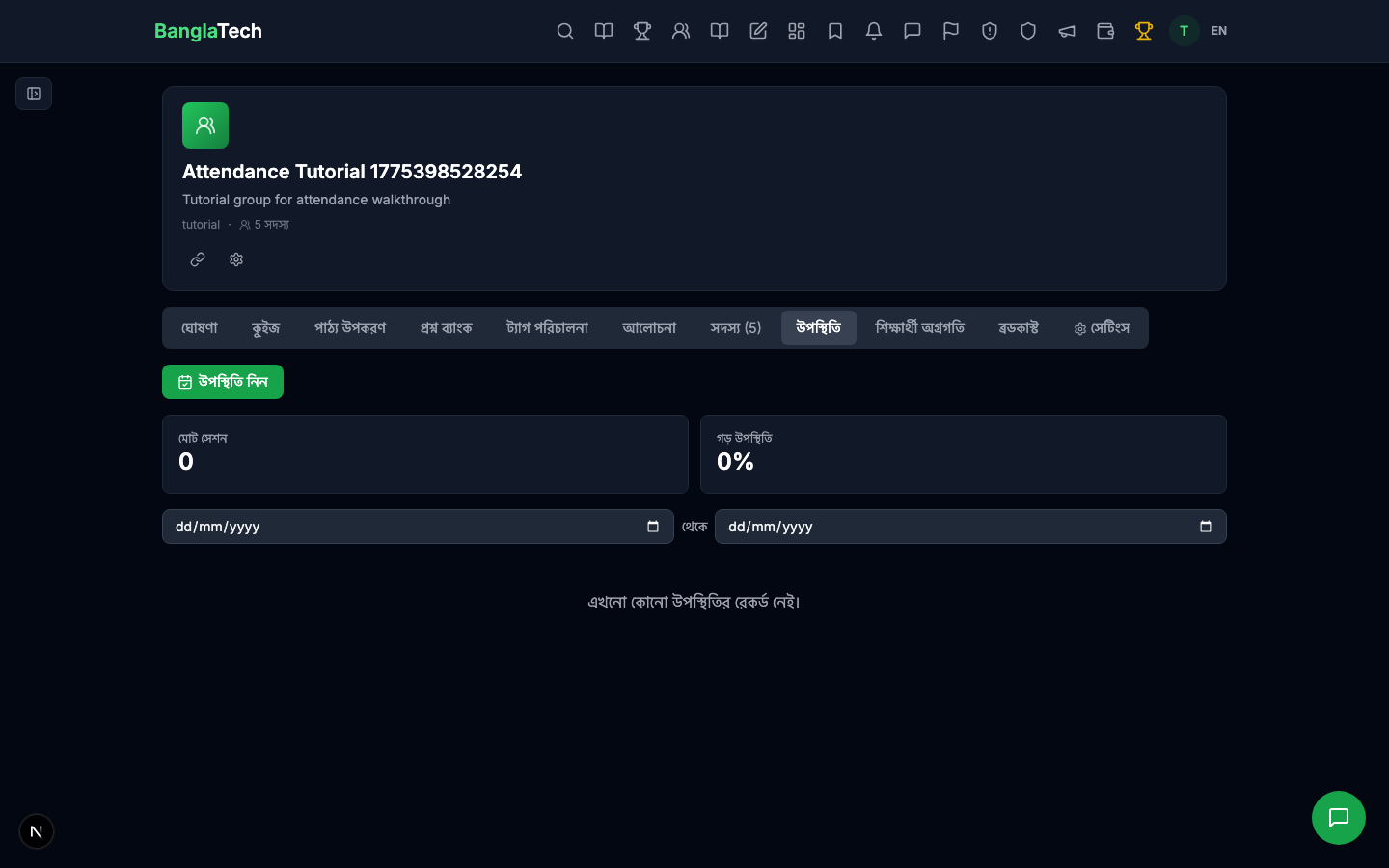
Inside your group, go to the উপস্থিতি (Attendance) tab. For a fresh group, you'll see an empty state with a "Take Attendance" button and two stat cards (Total Sessions, Average Attendance) both at zero.
Part 2 — Take Today's Attendance
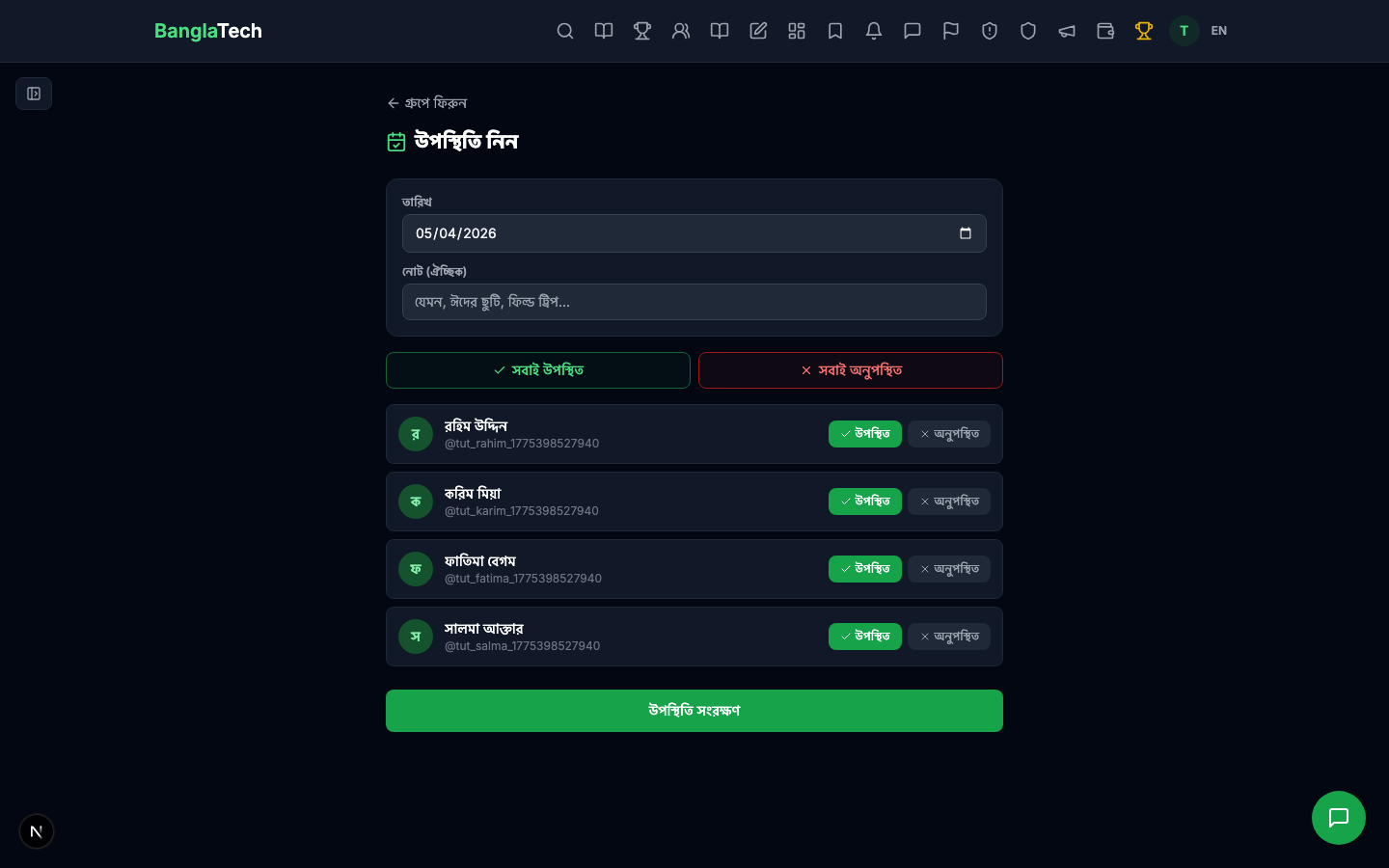
Click the green উপস্থিতি নিন (Take Attendance) button. The take-attendance page opens with today's date pre-filled and the full student list. By default, every student is marked present (green button highlighted).
Mark absent students
Click the অনুপস্থিত (Absent) button next to any student who missed class. In this example, ফাতিমা বেগম is marked absent while the other three are present. We also add a note: "সকালের ক্লাস — পাঠ্যপুস্তক পর্যালোচনা" (Morning class — Textbook review).
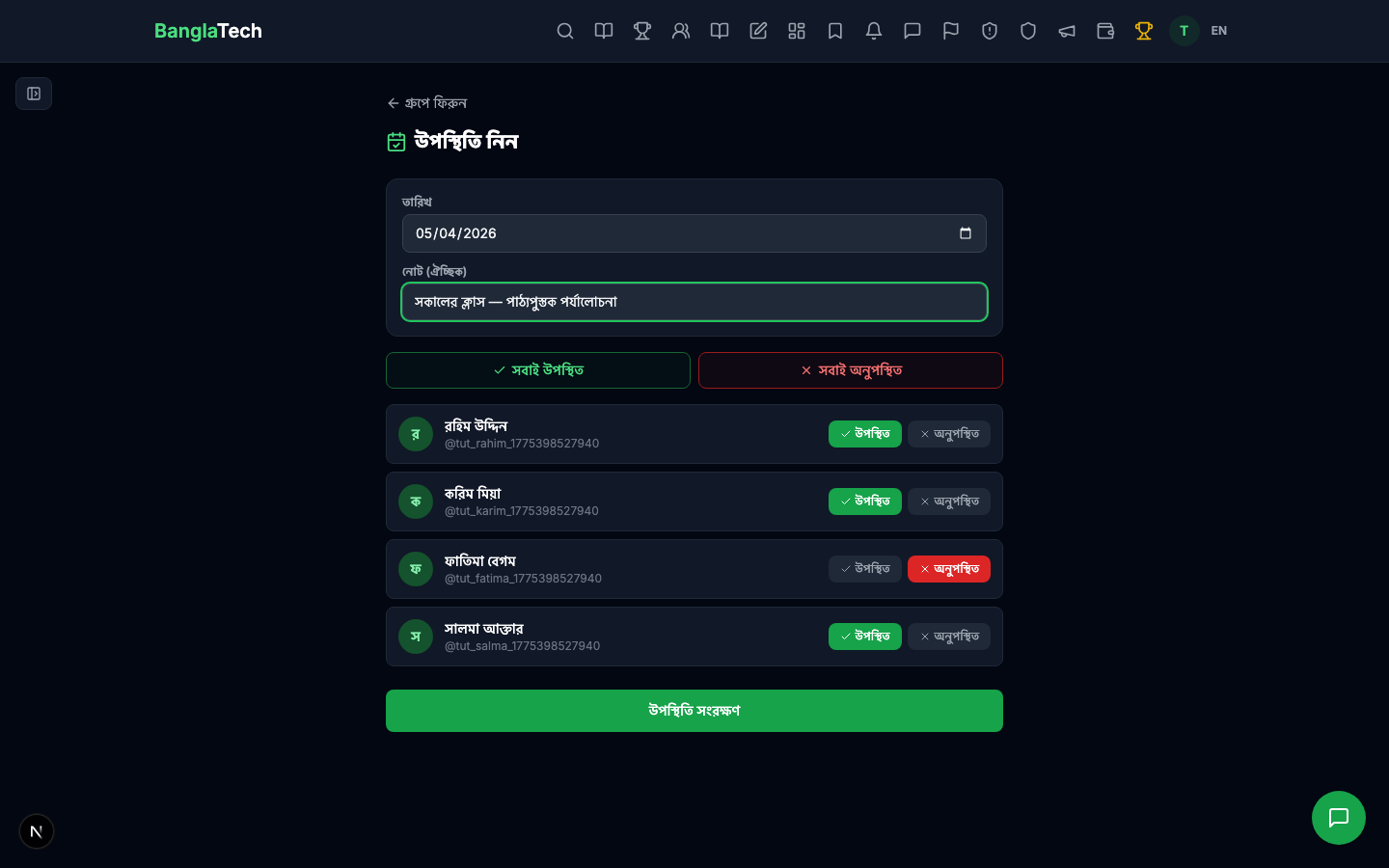
The two buttons at the top — সবাই উপস্থিত (Mark All Present) and সবাই অনুপস্থিত (Mark All Absent) — let you bulk-update the whole list, then toggle the exceptions. This saves time when only a few students are absent.
Save the session
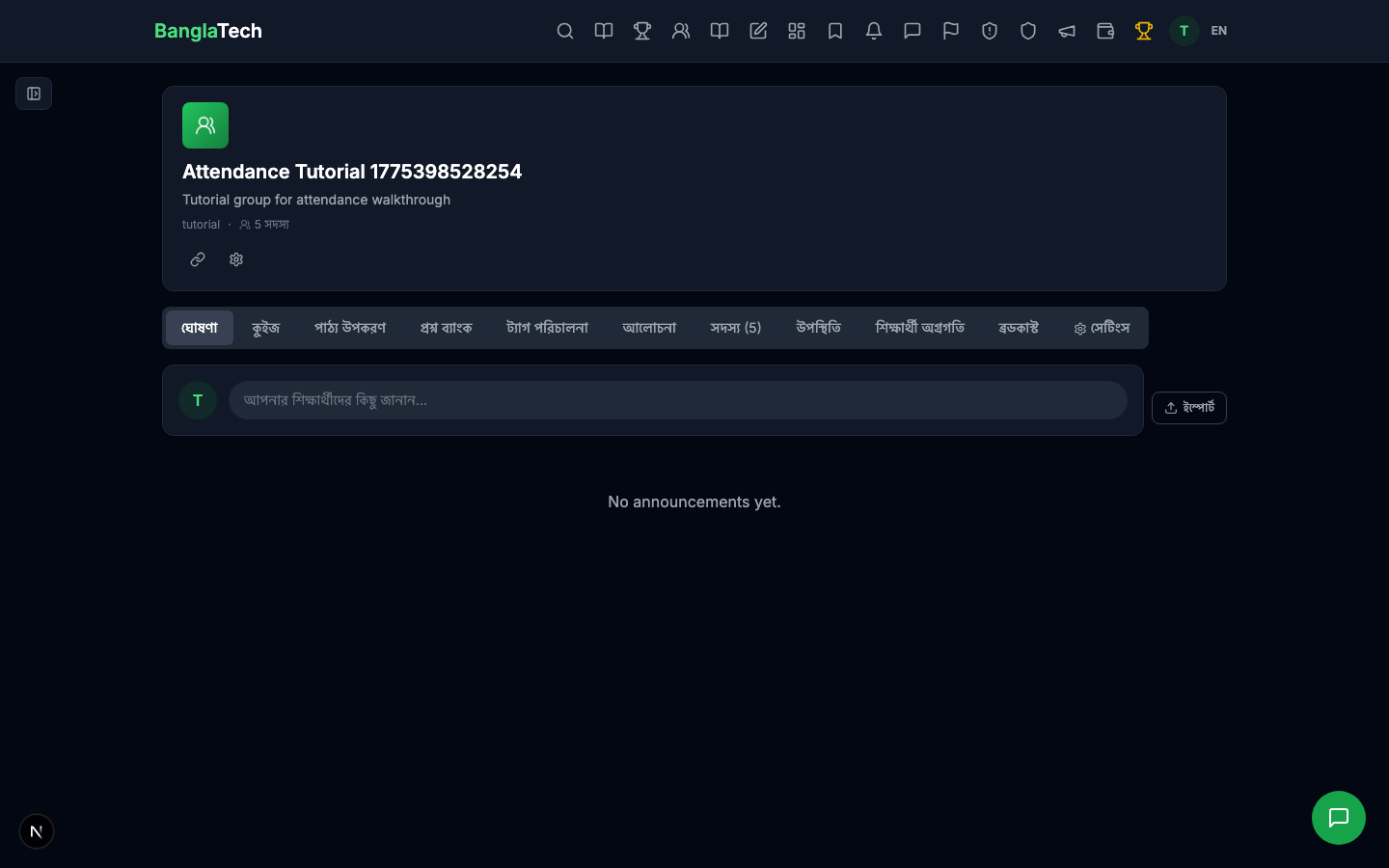
Click উপস্থিতি সংরক্ষণ (Save Attendance). You'll return to the attendance tab, now showing your freshly-recorded session.
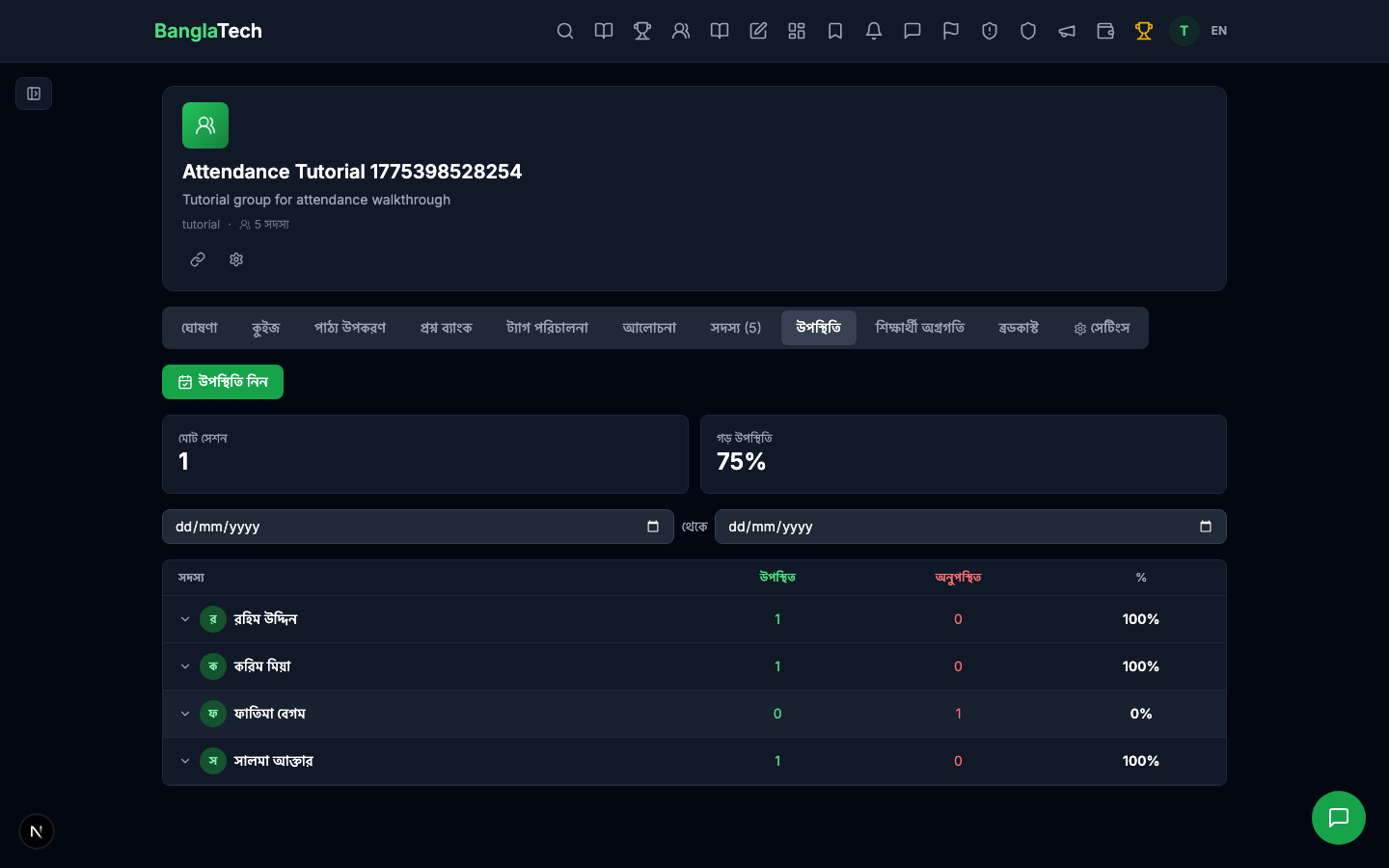
Part 3 — Multiple Sessions Build a Report
After taking attendance for multiple days, the report builds up automatically. Here's what the tab looks like with two sessions (today + yesterday):
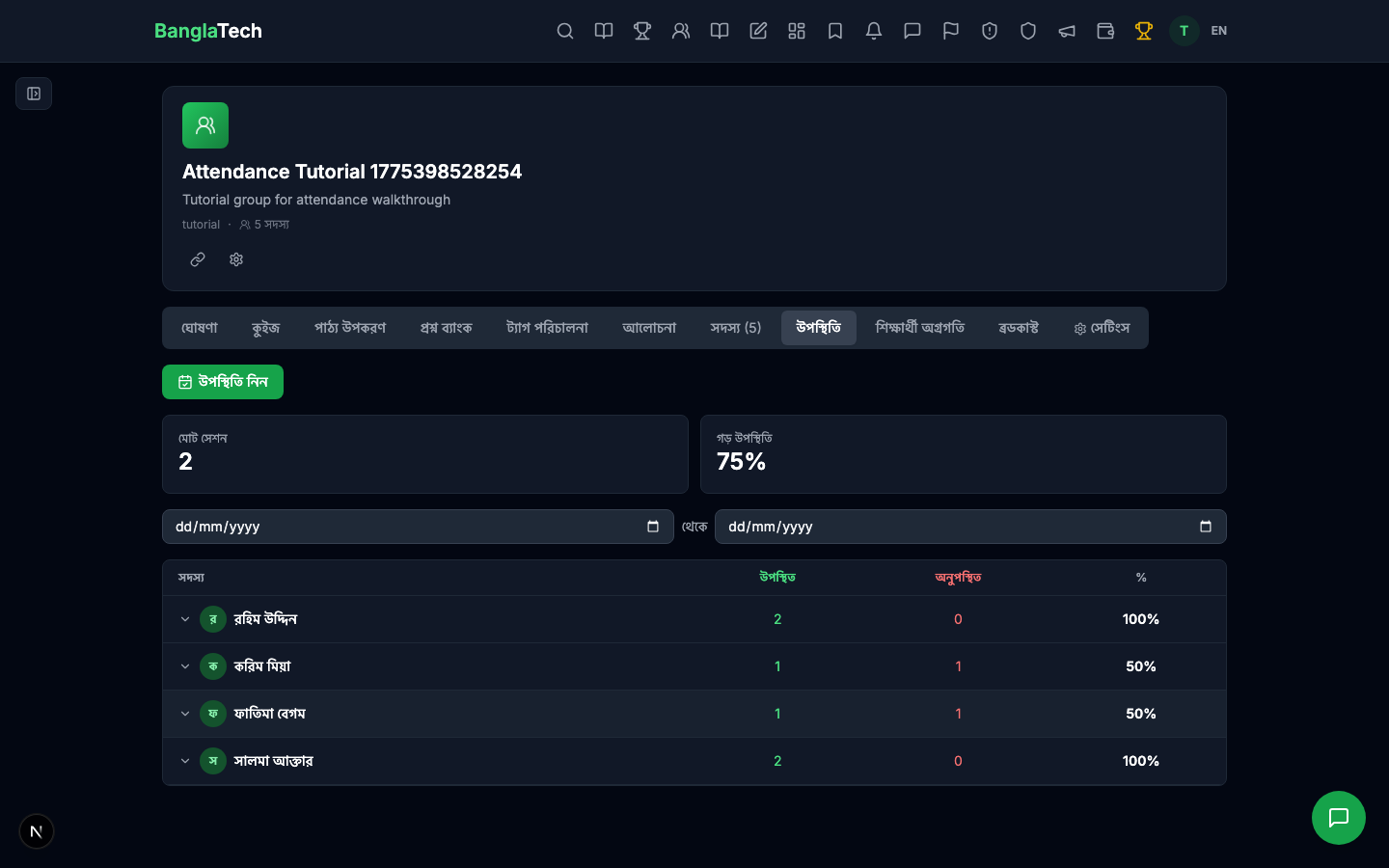
Notice the top cards update in real time:
- Total Sessions: 2
- Average Attendance: 75% (across all students)
And the per-student table shows each member's Present/Absent counts and percentage:
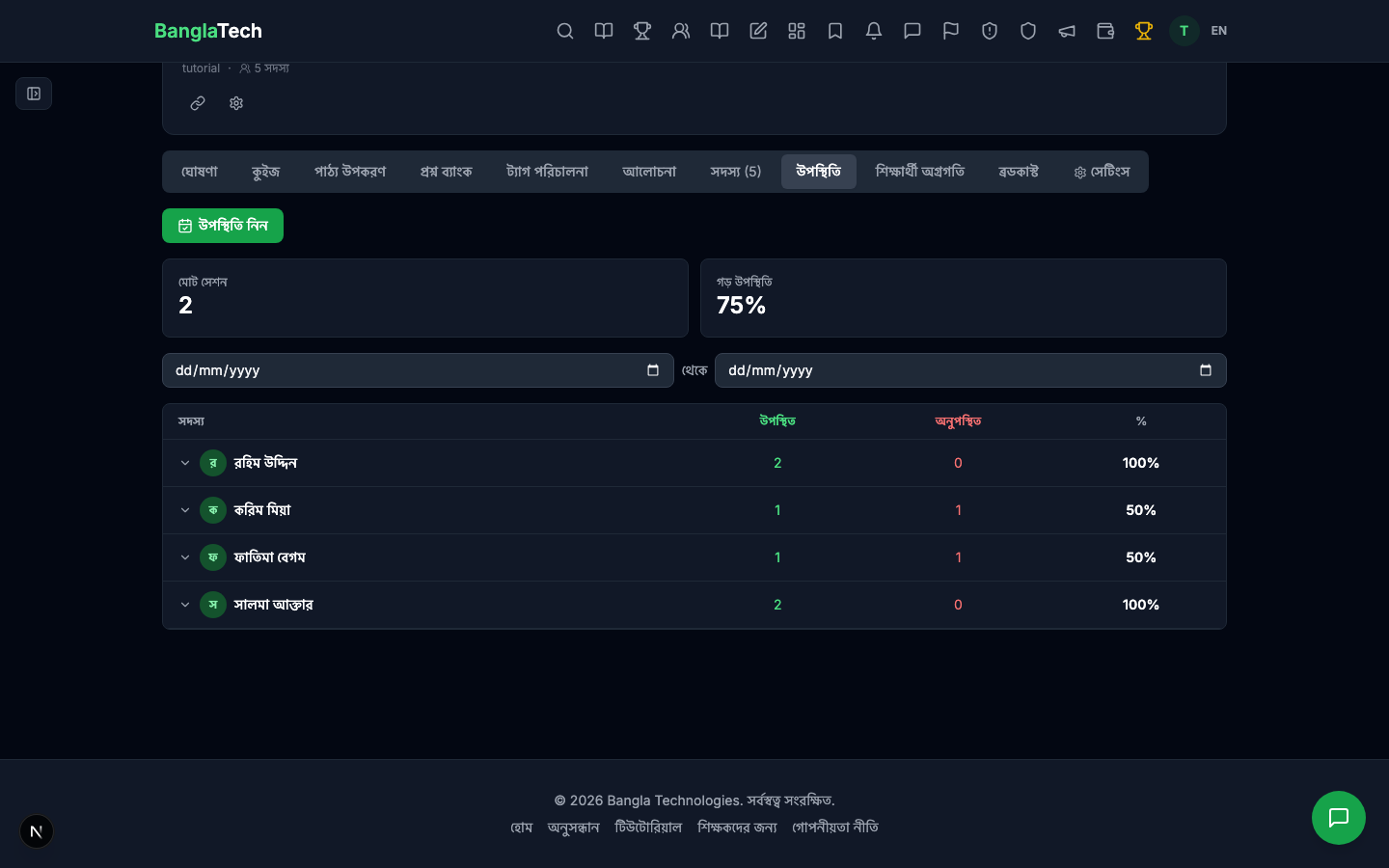
Part 4 — Drill Into a Student's Details
Click any member row to expand it — you'll see every session they attended or missed, with the date and any note the teacher left.
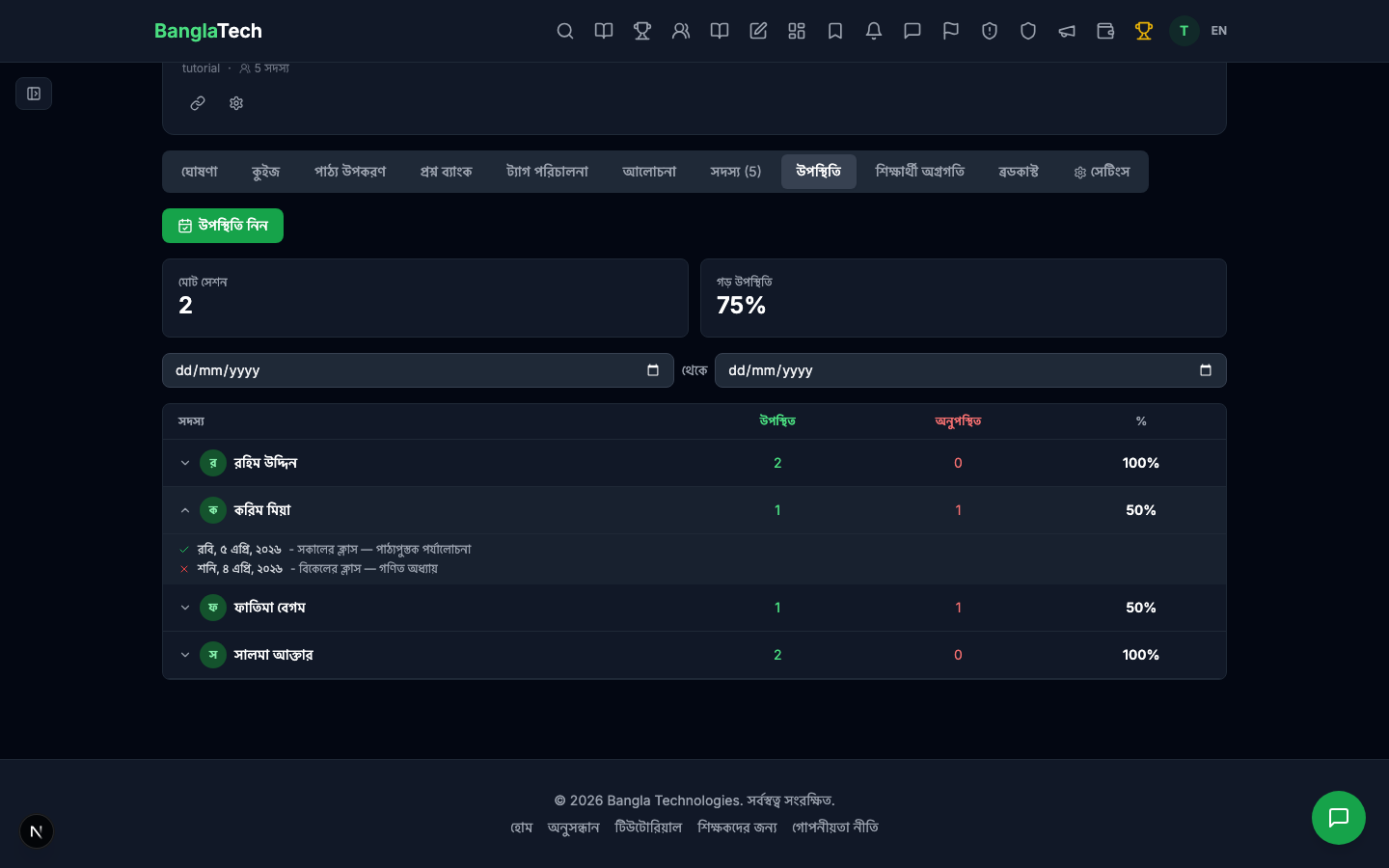
This is useful when a parent asks which specific days their child was absent, or when you need to verify attendance for a report card.
Part 5 — Student's View of Their Own Record
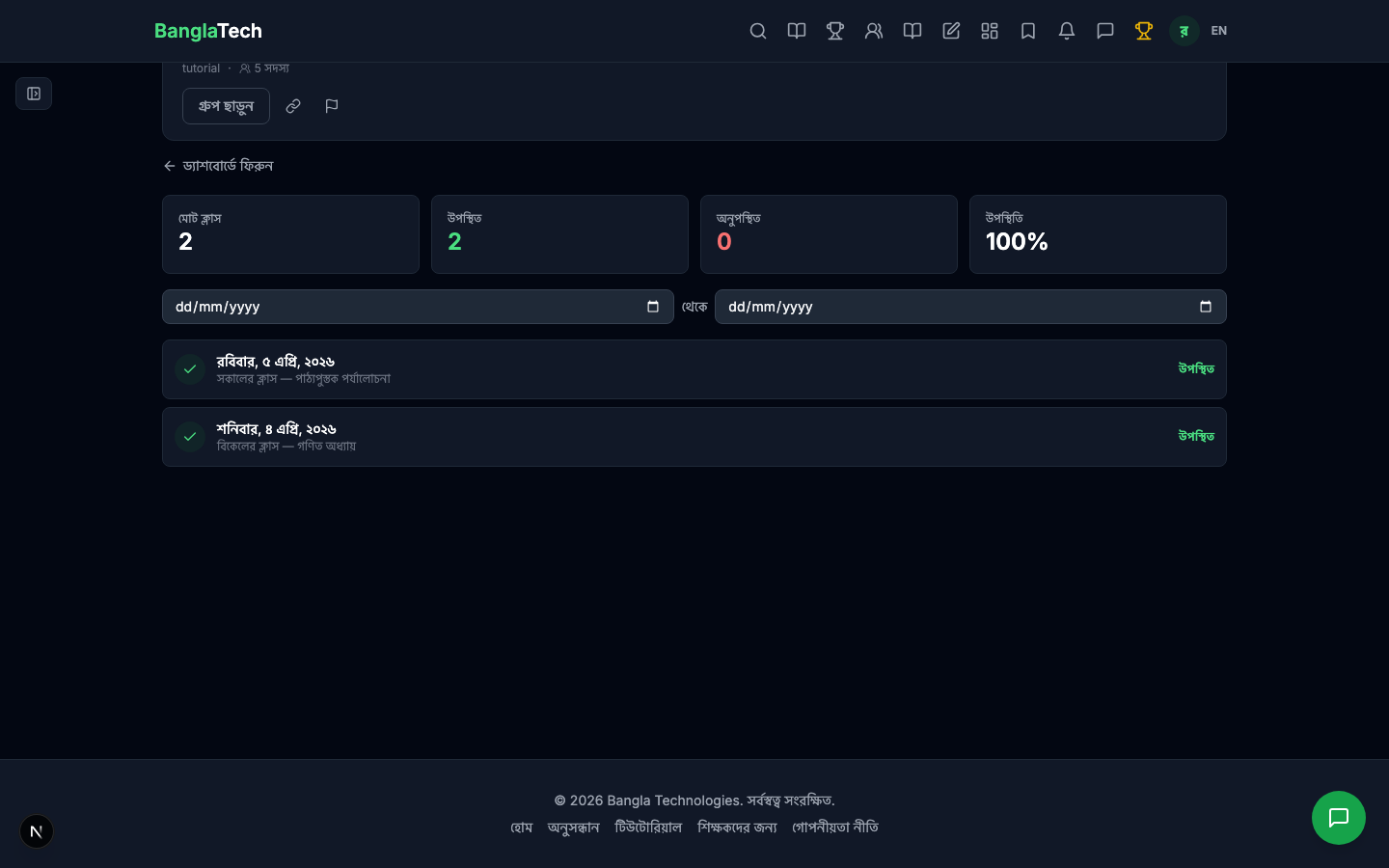
When a student opens the same Attendance tab, they see their personal record instead of the full class report. Four summary cards at the top show total classes, days present, days absent, and attendance percentage.
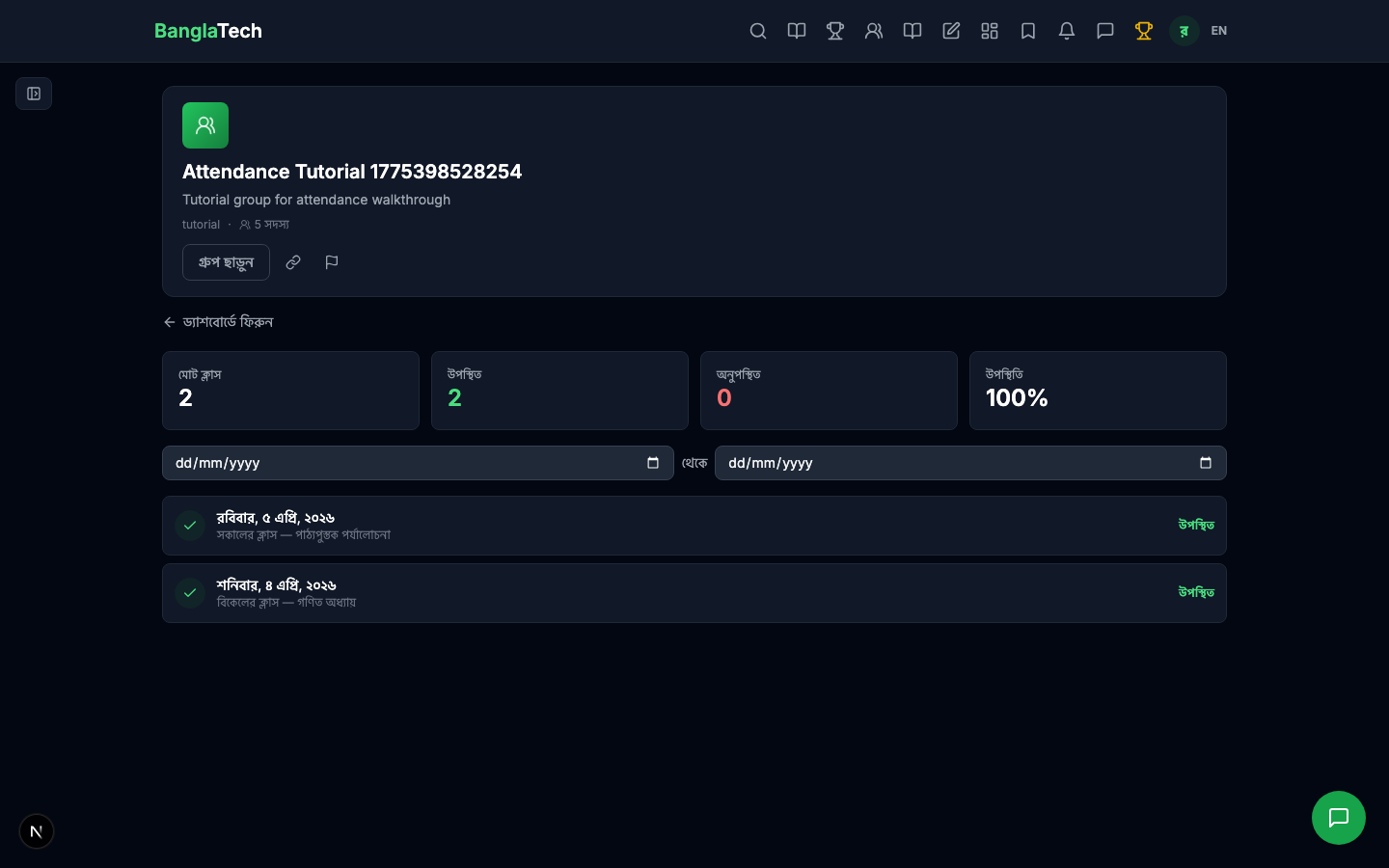
Below the summary, students see the full history of every class session with the date, note, and whether they were present or absent.
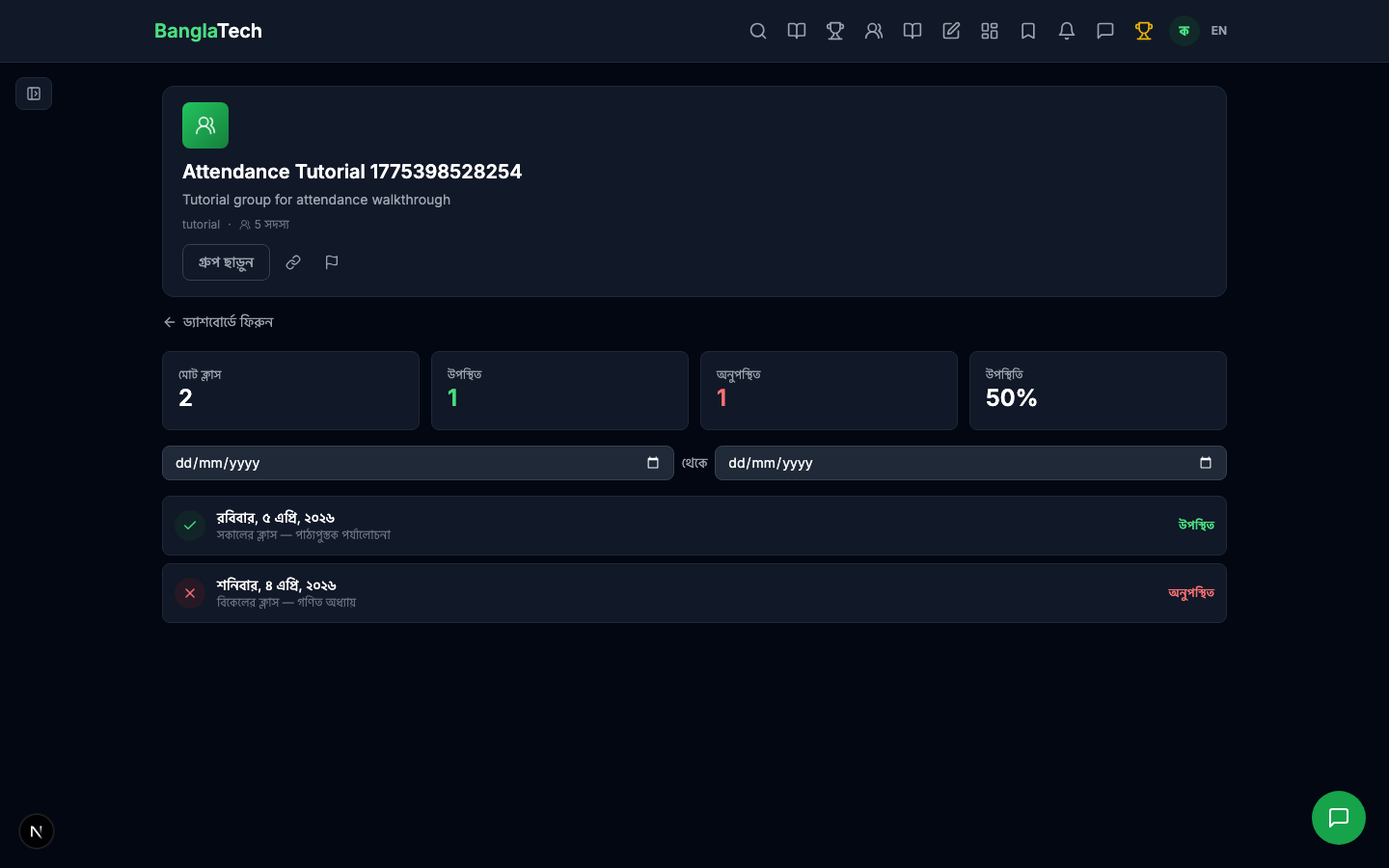
Example: a student with one absence
Here's করিম মিয়া's view — he attended 1 of 2 classes (50% attendance). The absent day shows a red X and the note "বিকেলের ক্লাস — গণিত অধ্যায়" (Afternoon class — Math chapter).
Part 6 — Filtering by Date Range
Both admin and student views have From / To date filters. Use them to view attendance for a specific week, month, or exam period instead of the full history.
Summary
BanglaTech's attendance system gives you:
- ✅ One-click present/absent marking with default-present for fast bulk entry
- ✅ Optional notes per session (useful for special classes, field trips, holidays)
- ✅ Mark-all-present / mark-all-absent shortcuts
- ✅ Per-student report with percentage across any date range
- ✅ Expandable details showing every session
- ✅ Student self-service view showing their own attendance history
- ✅ Date range filters on both admin and student views
For tracking student progress across quizzes and lessons as well as attendance, see the Groups & Batch Management tutorial.